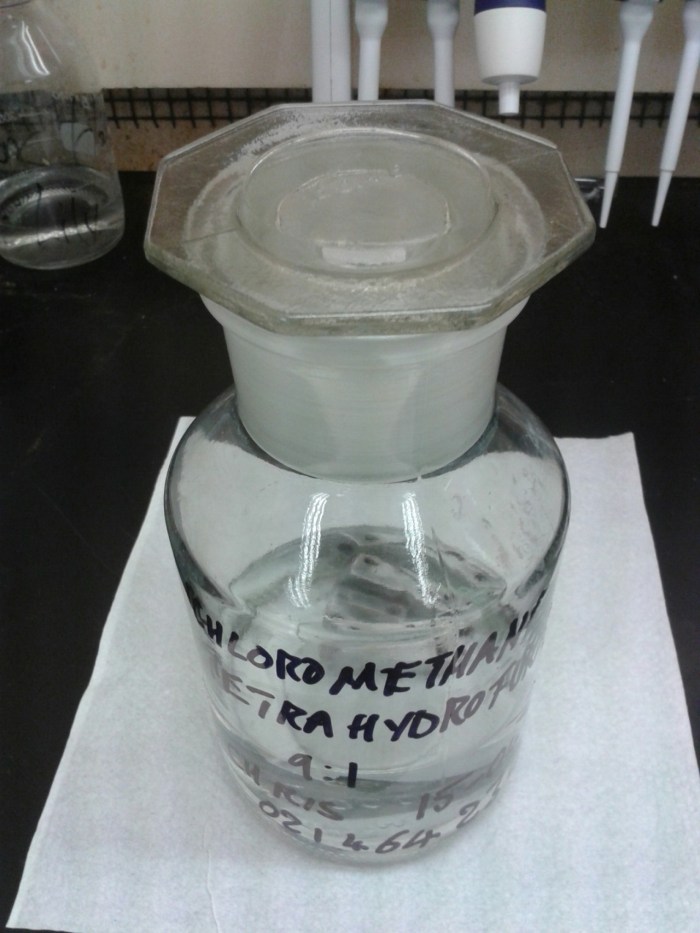
One of the engineers came to me today with the print head of a 3D printer that had become blocked with the polylactic acid [PLA] the printer dispenses. He wanted to know if U had any solvents to dissolve the blockage. Time to roll out some dichloromethane and a little bit of tetrahydrofuran! They’ll dissolve most plastics: THF will even dissolve teflon!
AMDIS, the Automated Mass spectral Deconvolution and Identification System, is a piece of freeware produced by NIST in the USA. In combination with an appropriate library of reference spectra the software identifies features in your GC-MS data and compares them to library spectra in order to assigns identities to them. This is fantastically useful for metabolite profiling, or metabolomics, as the data typically contain hundreds of features, each feature being a unique molecular structure present within your samples. It is possible to achieve similar results using other GC-MS software and associated libraries but none of them seem to be able to automate the process in the way that AMDIS does. That’s because AMDIS also has a batch process function in which you can select a whole set of data files and the software will churn through them, producing a single summary file of data. I have a suspicion that MassHunter might have a similar capability but I have never used it so I cannot comment further. We have a Thermo Finnigan GC-MS so I am using their Xcalibur software to acquire the data. The Xcalibur browser software allows me to view the collected data and search an associated library to identify peaks but the selection of peaks and the identification process is all manual. It has no facility for automatically identifying more subtle chromatographic features such as small peaks coeluting beneath larger ones. Therefore not only would it take me a lot longer to get the same information by processing these data files manually, I would inevitably fail to spot features. As the concentration of a metabolite- and concsequently the size of the peak it produces in the chromatogram are not necessarily related to their biological function this means I could be missing all the important data.
So AMDIS is a wonderful tool. It is, sadly, flawed too. The Xcalibur software uses a NIST library of reference spectra containing over 200,000 spectra. This massive amount of data makes it very good for identifying peaks. Oddly, AMDIS, which is written and maintained by the same people who curate the reference library, cannot use that library. Fortunately NIST publish a file converter program which allows you to convert your NIST libraries into a format AMDIS can access. However, AMDIS still cannot cope with a library larger then about 25,000 spectra and throws an error if you try to analyse data with a larger one. This is only about 12.5% of the full NIST library so, unless you’re prepared to analyse all of your samples eight times, it makes it unusable!
The solution seems to be for researchers conducting metabolite profiling to build their own reference libraries for AMDIS to use based on the derivatisation and analysis of pure standard compounds. Derivatisation is the process of chemically modifying metabolites which would otherwise be non-volatile to make them volatile and, therefore, amenable to gas chromatographic separation. The two most common ways of derivatising metabolites are to add a methyl or trimethylsiloxy groups by an ester linkage by treatment with one of a diverse range of derivatising reagents. The reagent I currently use is methyl chloroformate, which, in the presence of methanol and pyridine, converts amine groups into carbamates and carboxyl groups into methyl esters. It does not react with alcohols so it does not allow me to analyse sugars, for example, which require trimethylsilation.
The practical upshot of this is that some of the molecules which are produced by methyl chloroformate derivatisation are not encountered in nature or in industry. As a result there might not be reference spectra for that molecule in the NIST library, making their identification impossible without some expert-level interpretation of their spectra. Even this will not give a definitive answer but may suggest an identity which will have to then be confirmed by derivatisation and analysis of a pure standard.
Fortunately the potential of GC-MS metabolite profiling is such that several research groups have invested the time and effort over the last ten years or so to build their own reference libraries for use with AMDIS. Two notable examples are the Golm Metabolome Database mass spectrum library [GMD] and Silas Villas-Boas’ group at Auckland University. Silas published a library in the supporting information of a paper describing the application of methyl chloroformate derivatisation for metabolite profiling. I have been using their libraries, as well as bits of the NIST library to try and assign identities to peaks in my own samples using AMDIS. The version of the GMD library I downloaded contains 2,594 spectra whereas the SVB library contains 223.SVB library gave me 125 hits from an MCF-derivatised sample of human urine and the GMD library gave me only 5. There are several reasons for this discrepancy: firstly the GMD library was composed for plant metabolite profiling and not cells, as was the SVB library. Secondly, the GMB library contains TMS derivatives as well as MCF derivatives and so not all of those 2,594 are applicable to my samples. Thirdly, I don’t know what instrument the data for the GMD library was collected on but I know that Silas’ group over the road at the University of Auckland use a Thermo Finnigan GC-MS that is very similar to mine so their reference spectra are going to be very similar. This is not the case with two quite different GC-MSs, which can produce quite different spectra.
I’ve tried analysing the same data using 25,000 spectra
chunks of the NIST library and I’ve found some very dubious results which I’m pretty sure aren’t in my urine. Such as methamphetamine-d5! This is an excellent example of the problem with this type of analysis: if you search a large enough number of reference spectra you will always end up with “false positives”. This is pointed out in a paper I read today which presents an alternative to AMDIS for processing GC-MS metabolite profiling data and that was also produced by Silas Villas-Boas’ group at the UoA: Identifying and quantifying metabolites by scoring peaks of GC-MS data. So tomorrow I will be mostly playing with R and trying to get some example analysis done using the tools presented in this paper. Hopefully no deuterated methamphetamine will be involved!
This week’s project: setting up this Arduino with GSM shield to monitor the UPS that powers my mass specs. If we get a power cut (or when- this is Auckland after all) it will send me an SMS so I can race in and shut the mass specs down before they crash. Full write up when I’ve managed to make it all work.
🙂
NB Apologies for the repost but tumblr didn’t want to load the image for yesterday’s post.
I’ve been working on a Processing sketch that uses a selectInput() dialogue to ask for a CSV file. The example in the Processing reference doesn’t work very well because the sketch doesn’t pause and wait for you to select the input. It opens a open-file window and then immediately skips on to running rest of the code before you’ve selected your file, which predictably crashes because it contains references to a file that hasn’t been selected yet and so resolve to null.
A solution proposed on the forums is to add a while() loop after selectInput() which pauses the sketch while the selected file == null. As soon as you’ve selected the file you want to work with this ends the while() loop and the rest of the sketch proceeds with the selected file, like so:
String sourceFile = “pause”;
selectInput(“Select a file to process:”, “fileSelected”); // select an AMDIS results file to process – MUST BE A CSV while(sourceFile.equals(“pause”)) {} // wait until a file is selected
This used to work in a previous version of the sketch I wrote but I’ve recently updated Processing to 2.2.1 and, of, course things that used to work now don’t. Grrrrrrr. This might be something to do with there needing to be at least one statement. For eg, if I put a println() statement in there it simply keeps printing the same thing until I’ve selected a file. This makes the while() loop fulfil its function in pausing the sketch but the looped process of printing a zillion strings to the terminal burns up processor time and can even make the whole sketch hang. An inelegant solution.
As an alternative a post on StackOverflow (which is the most amazing hacking resource, by the way) offered an alternative code snippet utilising a different file open dialogue from the javax.swing library. This works perfectly, if still eccentrically as it uses the old XP style file open dialogue which defaults to the location of the desktop and requires much clicking if you happen to have a deep folder structure. As a plus though it allows you to use shortcuts to navigate, unlike the native Windows 7 file open dialogue, so a quick shortcut link to your data folder plonked on the desktop facilitates rapid access to your target.
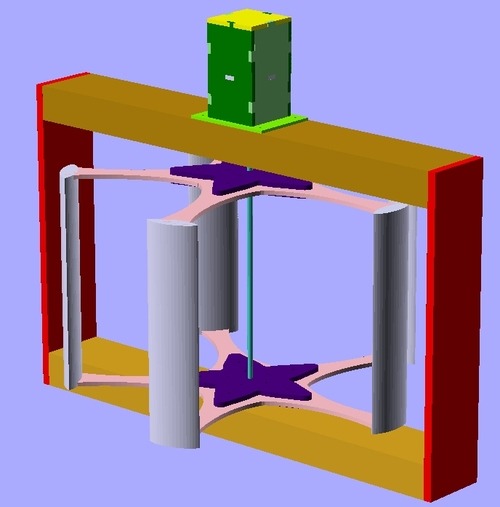
Here’s a longer video showing details of the stepper motor I’m using as an alternator mounted in its housing, the hubs and arms and the coupling to the spindle. I’ve left the third side off the housing to show this. Obviously the whole thing is going to need a coat of paint before I can mount it outside.
I’m really pleased with how much of this turned out. The frame, the spindle and the arms all look just like the CAD design.
The only difficulty I had was with the design of the foils. My initial design was a Darrieus type VAWT with an airfoil at the end of each arm. I cut the foil profile out of the same 6mm MDF I used for the arms and hubs and intended to cover them with corflute. I happened to have a bunch of Green Party electoral billboards left over from last year and wanted to upcycle them for this purpose.
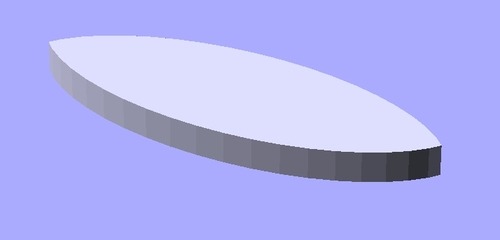
The first design I had was for a simple symmetrical foil made from the intersection of two elipses.
Once I’d cut the parts I realised they were far too big so I decided I had to cut a scaled down version. Out of curiosity I found myself Googling “formula for an aerofoil” and stumbled across a Wikipedia page with an equation to produce a proper NACA aerofoil profile.
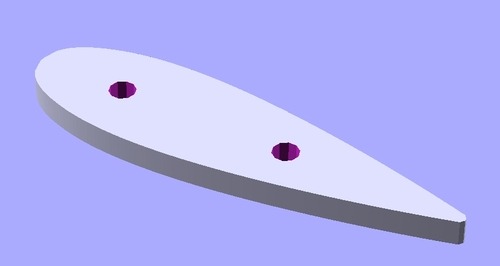
This seemed like a much more pleasing solution so, with an eye to minimising waste, I cut them out of the first foils. You can see how big the first ones were in comparison.
The two holes are 6mm diameter ones which I thought would be useful to help me align the foil profiles between the two arms. I envisaged running 6mm dowels between them to stabilise the foils, which are 0.3m long and would flex if they were just corflute, and to help keep the arms in alignment.
As it turned out 6mm dowel was pretty whippy too and so I bought 8mm dowel thinking I could just drill the holes out. When I got home I had a go at wrapping the corflute around the foil profiles and quickly realised that corflute doesn’t like being bent to smooth, small-radius profiles such as those in the new design. To be frank, I’d probably made the new profile too small! There was no way I was going to get five consistent foils and consistency is pretty important in something that you hope is going to rotate at hundreds of rpm. Imbalances will result in vibration and damage, paticularly in a kludged-up design like this.
So I swallowed my pride, dug around in the garage for a bit and turned up a piece of 55mm PVC drainpipe that I could cut into half-tube sections to turn my elegant Darrieus VAWT design into a clumsy and inefficient Savonius VAWT. Feel free to read up on the differences in the two designs. In brief, the Darrieus type relies on lift from aerofoils, whereas Savonius types utilise drag from buckets to produce torque. The former produces higher tip speeds and faster rotation, which is more efficient for generating power. As a result Darrieus turbines usually capture more energy from the wind than Savonius types, although each have their advantages. The 55mm pipe is probably too small for this and I’d see a lot more power from a bigger section but it was all I had to hand. For this reason the buckets are only zip tied on so I can easily replace them with larger ones in the future.
Anyway, this at least allowed me to finish assembling the pieces and to pop it out on the deck to grab the passing breeze. I’m really happy that the thing turns smoothly on the two 608 bearings as these are meant to be rotational bearings, not thrust bearings. For this reason I left the second set of bolts out of the hubs to minimise weight. They did not seem necessary for structural integrity, thanks to the close fit of the lasercut pieces.
The stepper motor lined up beautifully and, after a little grinding with the Dremel the coupling was a perfect fit. I haven’t checked the voltage coming off the stepper yet. I used the smaller NEMA16 rather than the NEMA23 as the bigger stepper just seemed to require too much torque to turn the shaft. These aren’t really very well suited to this application but this is just a fun project and I’m not aiming to generate any significant power. My main goal here is to get an idea of the potential of this design.
One challenge left, besides the big question of where to mount it, is what to do with the output. The stepper will produce 4-phase AC which will need to be rectified and fed into a battery. I’m contemplating building my own rectifier from Schottky diodes scavenged from old PC power supplies but it is probably quicker, more reliable (i.e. smarter!) to just buy four bridge rectifiers. I’d also like to use an Arduino to log things like the rotation speed- easily derived from the AC frequency- and the voltage and power generated. Although this thing is essentially a great big anemometer it would be interesting to get another proper one to ground truth my measurements. All fun for the future!
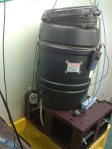
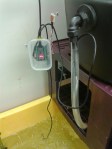
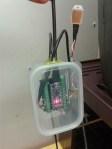
A couple of shots showing an Arduino Nano I’ve put into the aqualab to monitor the sump temperatures on the recirculation system for an upcoming ocean acidification project run by Kay Vopel (http://www.vopel.org/). The Nano is reading two waterproof DS18B20 temperature sensors, one in the sump and one on the outflow from the mixing barrel, as well as a DHT22 air temperature & humidity sensor. The sensors are fed through holes melted in the HDPE of the little tupperware container its mounted in and the holes have been sealed with hot glue. The Nano is on the end of a 5m USB cable that stretches over to the PC on the bench opposite.
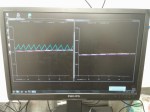
The monitor is showing my Processing datalogger sketch running. There’s two incidences of the sketch running, as there’s two recirculation system so there’s twoArduinos. The second one doesn’t have a DHT22. The data is plotted, shown numerically at the top of the screen and logged to text file. One day I’ll hack out a solution to read data from two Arduinos into one sketch but for now this was a quick and dirty solution.
Both plots show a pink and a yellow line climbing gently across the screen. These are the water temperatures. The MSc student increased the temperature on the water cooler yesterday and the system’s still equilibrating. The blue zig-zag line shows the air temperature bouncing up and down as the aircon switches on and off.
Our new MPS autosampler at work derivatising amino acid standards with methyl chloroformate. You might want to turn your volume down because the phone was right next to the extractor fan for the trap.




 drchrispook.com